
Cross-Site WebSocket Hijacking (CSWSH)
Many of you might have used WebSocket to implement a asynchronous communication between two systems over the internet. Lacking necessary validations/checks in WebSocket implementation might lead to various vulnerabilities and one such vulnerability is CSWSH.
WebSocket communication is established by initiating WebSocket handshake between the client and the WebSocket server as shown below.
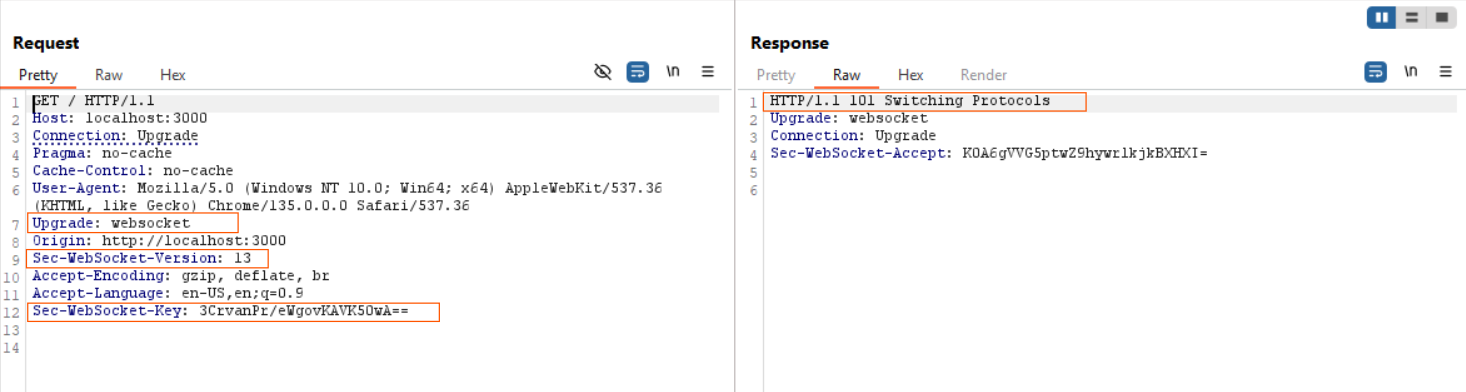
This HTTP request is called protocol upgrade request (HTTP protocol to WS protocol) and this request can be identified with following headers Upgrade: websocket, Sec-WebSocket-Versions, and Sec-WebScoket-Key. Server responds with status code 101 with Sec-WebSocket-Accept headers.
Behind the scenes of this handshake, the following process takes place.
- Client send a base64 encoded nonce (Sec-WebScoket-Key)to the server.
- Server take this nonce send by client, concatenate with GUID(Globally Unique Identifier), compute hash (SHA-1) for the resulting string and then base64 encode the hash. This final base64 encoded string was send to client inSec-WebSocket-Acceptheader.
- Client recalculate this hash and compare it with hash value sent by server. if they both match WebSocket communication will establish.
The CSWSH vulnerability arises due to a design limitation where the Same-Origin Policy (SOP) does not applicable to WebSocket communications. This means that a website from one origin can initiate a WebSocket connection with a server hosted on a different origin.
Let’s understand this by taking an example. I have setup a web application with WebSocket server on a remote origin and below JavaScript code connects to the WebSocket server in that remote origin.
|
|
I hosted the above script on an HTML page locally, and it successfully established a connection to the web server running on a remote origin (4ce94c126ce328.lhr.life) as shown below.
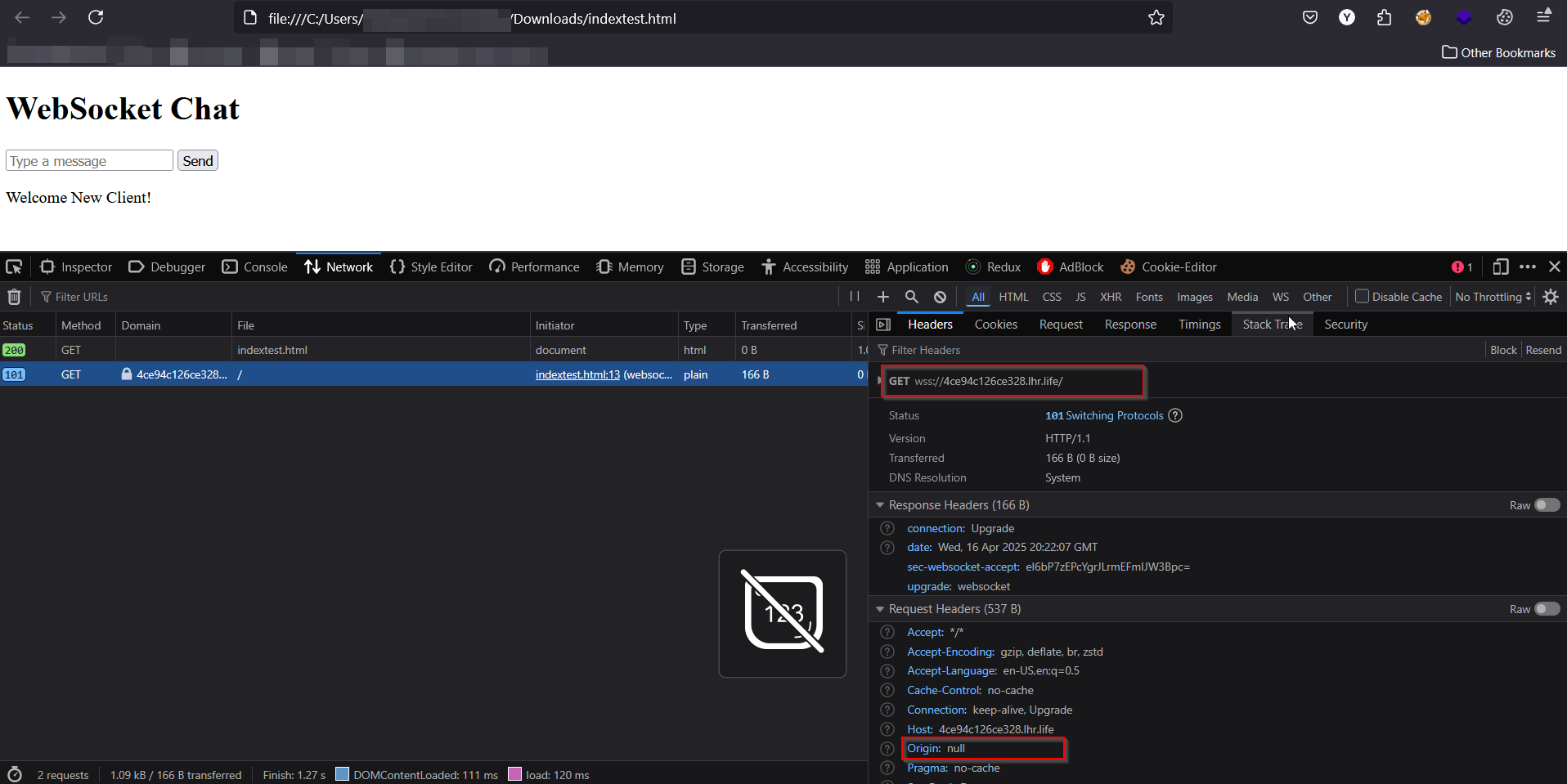
By now, you might be thinking this sounds a lot like another vulnerability and you’re correct. It’s similar to Cross-Site Request Forgery (CSRF).
Let’s repeat the above process by adding user authentication in the web application.
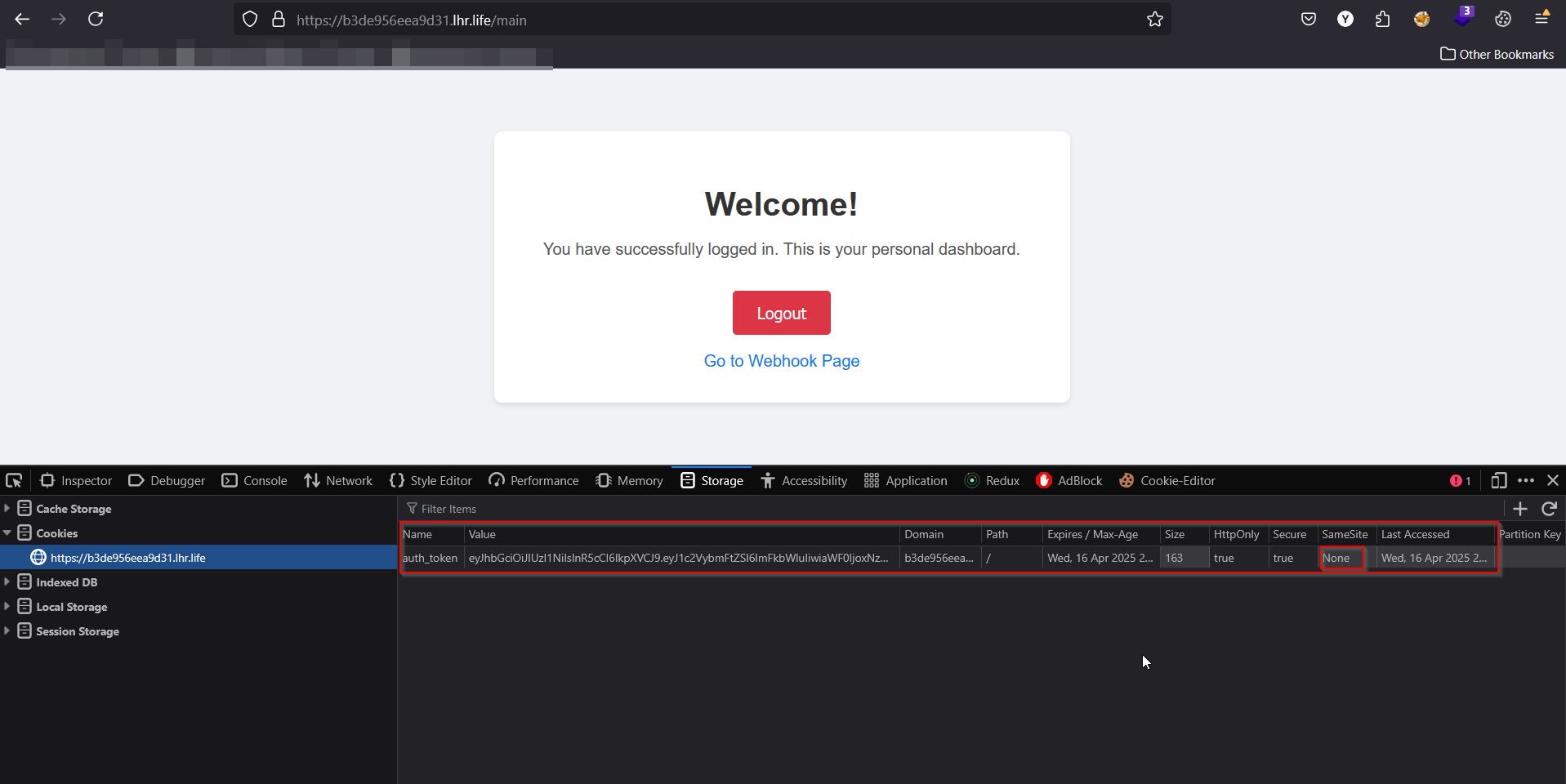
Authenticated with the web server, it issued a JWT token as a cookie with the attributes HttpOnly: true, Secure: true and SameSite: None as shown in the above image. As server-side verification, the WebSocket server verifies the JWT token during the handshake to ensure only authenticated users can establish a successful connection.
|
|
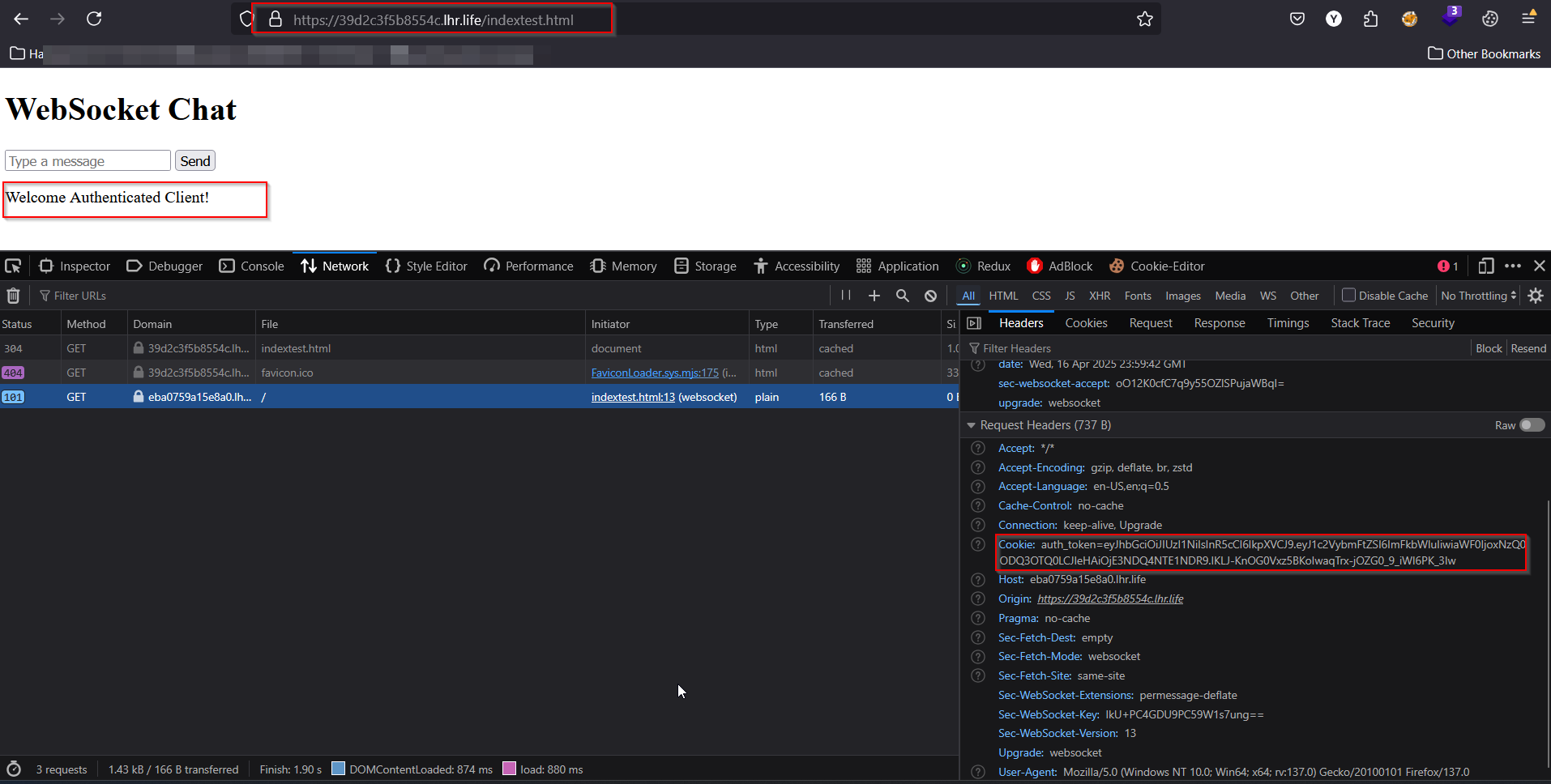
This time I have hosted a separate domain (https://39d2c3f5b8554c.lhr.life) with an HTML page (indextest.html) that establishes a connection to a WebSocket server running on a different origin. When a user, already authenticated to the WebSocket server on the other origin, receives and opens the URL (https://39d2c3f5b8554c.lhr.life/indextest.html), the WebSocket connection is successfully established as shown below. *This occurs because the browser automatically includes the authentication cookies in the WebSocket handshake request, as configured with SameSite: None.
How to mitigate this vulnerability?
- Implement origin validation checks to reject WebSocket handshake requests from origins other than the server’s own.
- Set SameSitecookie attribute to Strict or Lax. (mitigate CSRF attacks)
Hoping you gained some understanding about this vulnerability.
Happy Hacking !