
ScriptCTF Writeup
I recently particiapated in scriptCTF and I focused only on solving web challeges. There were two web challenges and I have solved both of them. let’s dive right in….
Renderer Challenge
Source code of the challenge were provided. Application allow user to upload images whitelisted with extensions (‘jpg’,‘jpeg’,‘png’,‘svg’). uploaded image will be render in a iframe when user send a request to /render route.
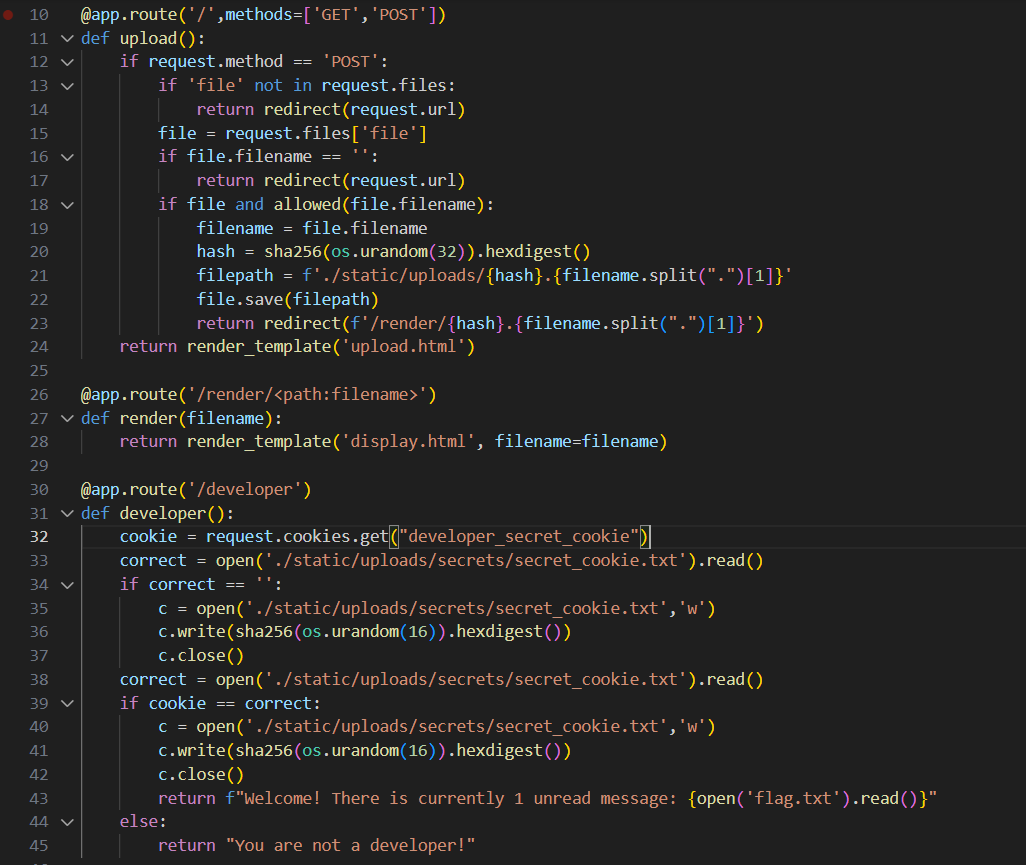
When comes to solving this challenge, accessing /developer route will give us flag but this developer route is only accessible when developer_secret_cookie contents matches the contents in secret_cookie.txt file.
so, secret cookie can be obtained by reading the secret_cookie.txt file. This rending of images is done by in a iframe as shown below template.
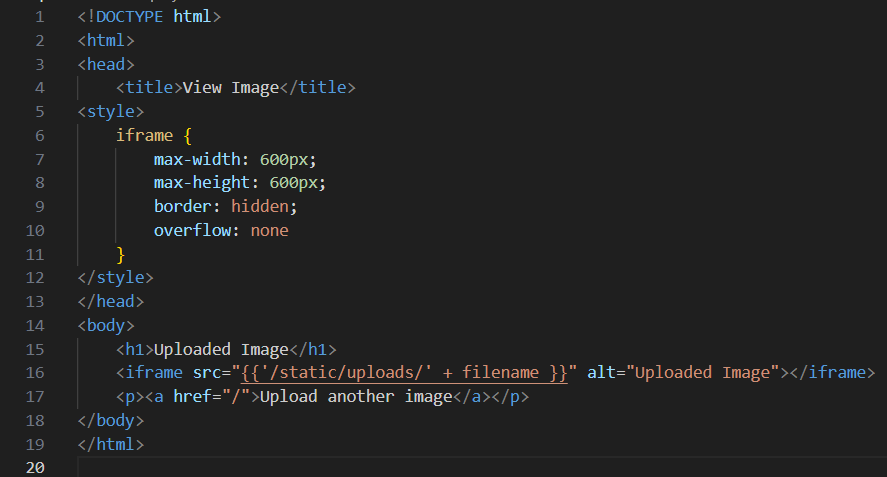
As you can see the path here /static/uploads/' + filename , filename is what we should be requesting from the browser.
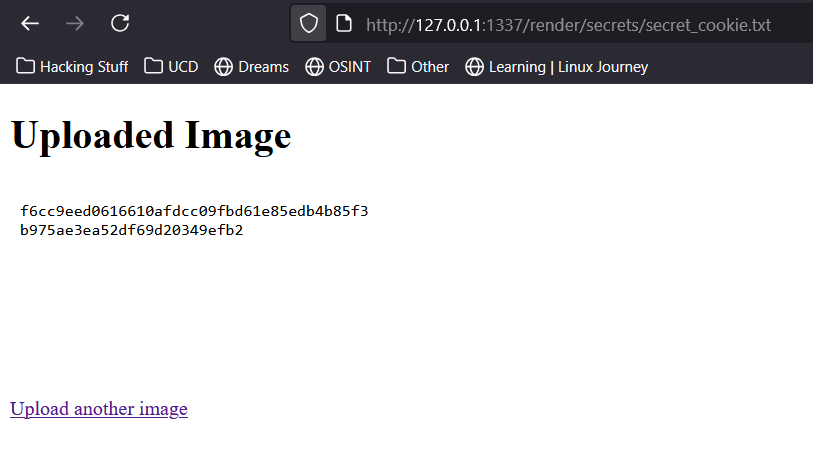
location of secret_cookie.txt -> ./static/uploads/secrets/secret_cookie.txt (image 1, line 33). I accessed this path in the browser as shown below and got the secret_cookie.
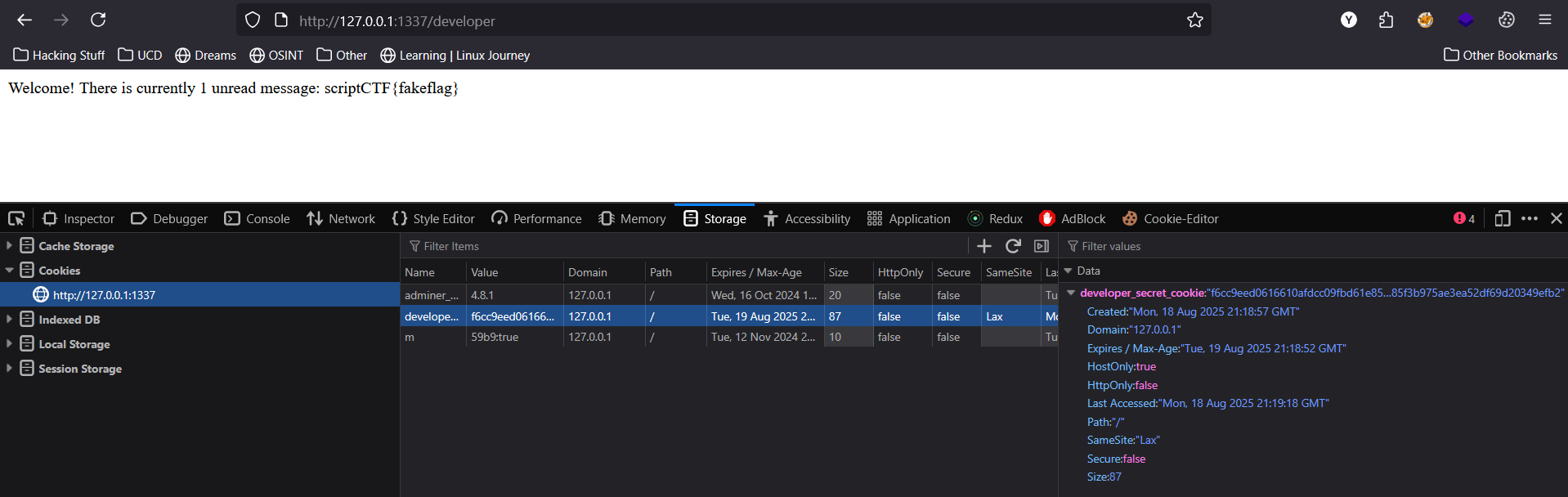
Add this secret cookie as developer_secret_cookie in the browser to access the flag.
Wizard Gallery
This challenge allows user to upload images with extensions (‘png’, ‘jpg’, ‘jpeg’, ‘gif’, ‘bmp’, ‘webp’). Application allows user to see the uploaded image through /gallery route. Check below code snippets for /upload and /gallery routes.
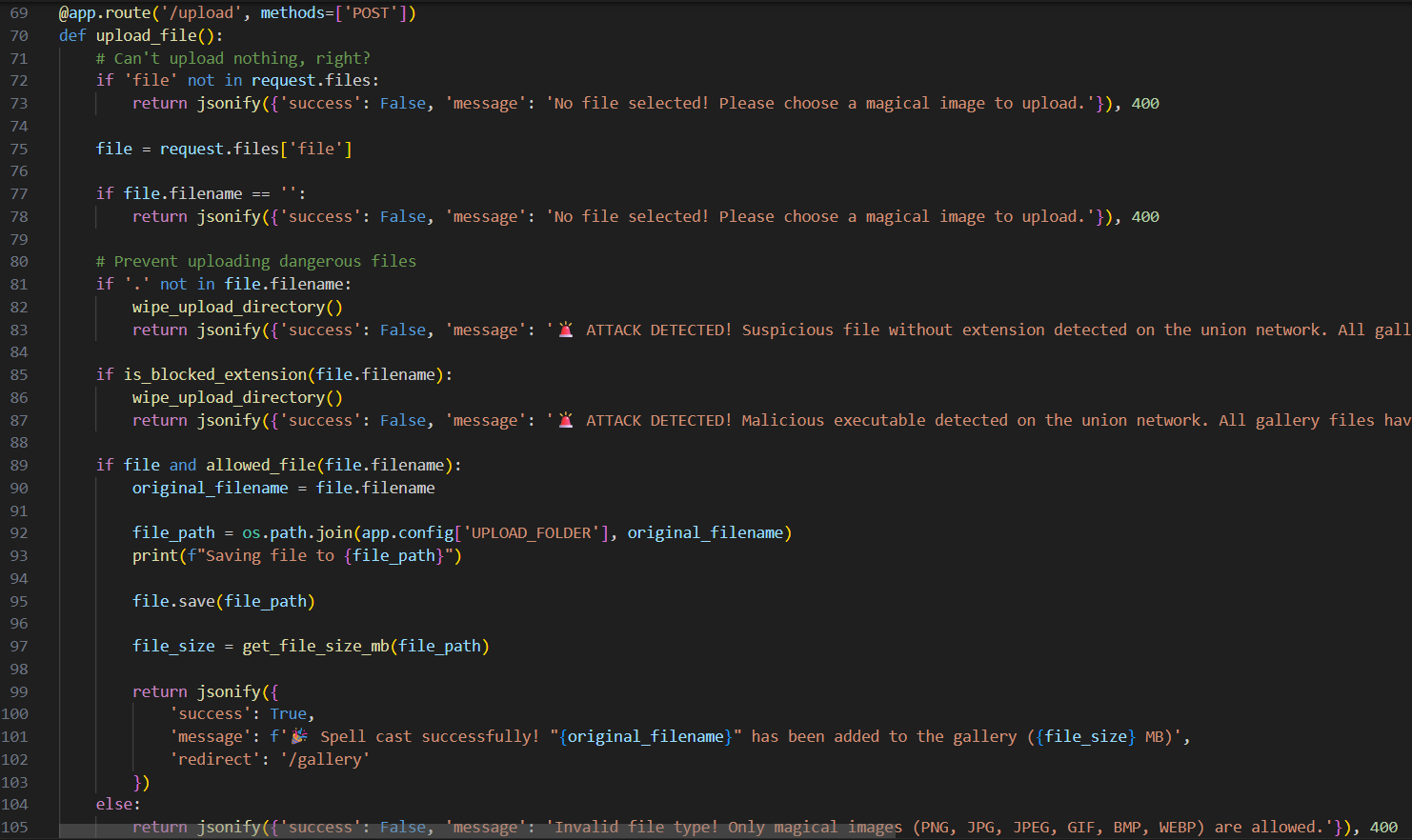

When ever user tries to upload any suspecious file extension (line 85 or ‘.’ not present in file name) then application will wipe out all so far uploaded files and if file passes all validation checks then it will be uploaded successfully. Here, i though application may be vulnerable to LFI and i tried for LFI but python uses LFI proof function send_from_directory for serving the uploaded files.
Application has other routes for serving logo.png and logo-sm.png. logo-sm.png seems intersting as it calls OS module to execute magick commands to resize the logo.png image.
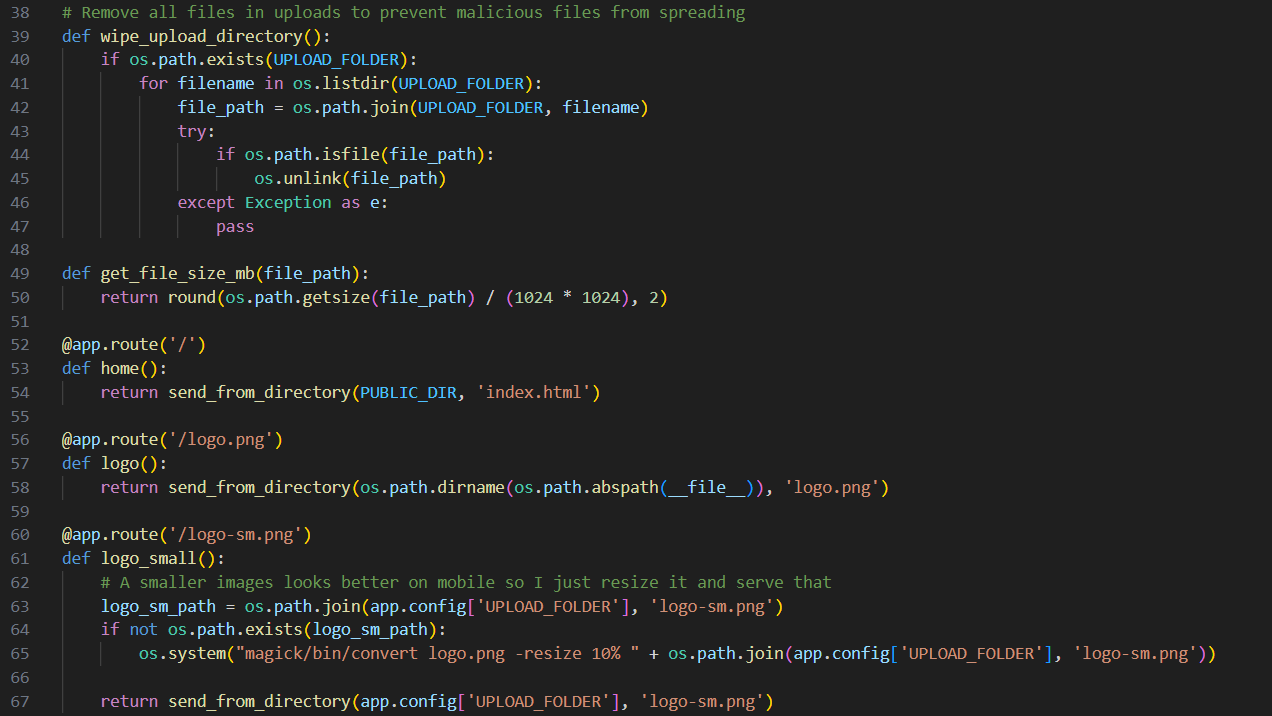
In line 65, application calls magick covert command to resize the logo.png image. Immidelty i search about vulnerabaility related to magick and i found bunch of vulnerability which seems to be explotable but i need to find version of imagemagick and i am able to find it’s version is configure.xml file.

Imagemagick 1.7.0.49 is vulnerable to CVE-2022-44268 Arbitrary file read
Action plan.
- Create a png image to read /flag.txt file.
- Upload the png image to overwrite the existing logo.png image.
- access /logo-sm.png and download it to extract the flag.
STEP 1 -> used PNG crush to add a new metadata field set on read ./flag.txt

STEP 2 -> upload the PNG image using curl command.
 here, i have uploaded with filename set to ‘../logo.png’ and application does not have any checks on filename being valid or not but it only checks whether filename is missing any ‘.’ or is it have blacklisted extension.
STEP 3 -> access the /logo-sm.png to invoke magick convert command.

We have our file, let’s check it’s metadata using exif tool and extract the flag.
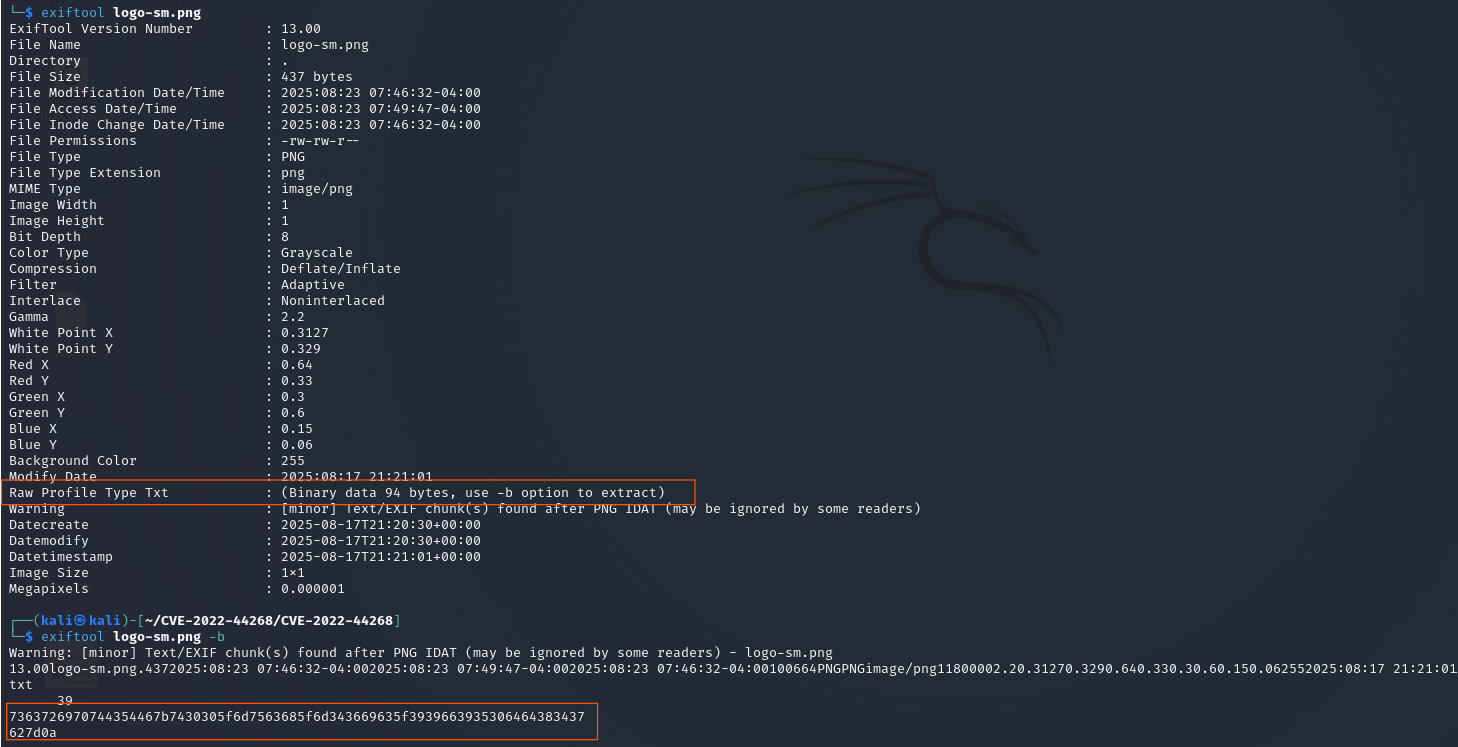 We extract the flag raw bytes (hex) using
 exiftool -b command. Decode this hex bytes to get the flag scriptCTF{t00_much_m46ic_redacted}