Client Side Template Injection (CSTI)
Introduction
Template injection is a critical web security vulnerability that occurs when user input is embedded into a template in an unsafe manner. This vulnerability allows attackers to inject malicious template code that can lead to remote code execution, data theft, or server compromise. Template injection can occur on both client-side and server-side. This blog focuses on client-side template injection in AngularJS framework which leads to XSS attacks.
Developed by Google, AngularJS serves as a powerful frontend framework for building dynamic web applications. The framework’s template injection vulnerability has gained significant attention in the security community, particularly due to the groundbreaking sandbox escape techniques discovered by Gareth Heyes and Mario Heiderich from Cure53. For a deeper dive into their research on AngularJS sandbox escaping, refer to this comprehensive PortSwigger blog.
At its core, AngularJS templates extend standard HTML with additional markup, including ng-directives (such as ng-model, ng-bind, ng-app) and the distinctive double curly braces {{}} for interpolation.
|
|
In this AngularJS template example, I utilize double curly braces {{}} to evaluate an expression. The statement {{2+2}} is processed by Angular’s template engine and rendered as 4 in the browser, as demonstrated below.
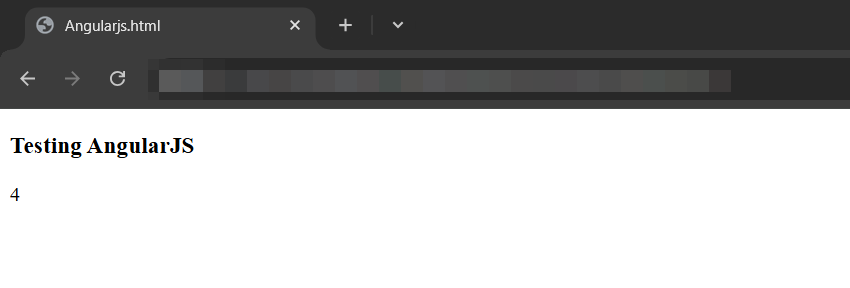
You might be thinking that {{alert(1)}} can invoke an XSS attack, but that’s not the case. This is because of the $scope object.
Understanding the $scope Object
The $scope object in AngularJS serves as a crucial data container, holding both variables and functions that are accessible within the AngularJS template.
|
|
In this example, I’ve implemented a GreetingController that receives the $scope object as a parameter. Within this controller, I define a greeting variable and a double() function, both attached to the scope as $scope.greeting and $scope.double respectively. These elements are then accessible in the template through the double curly braces syntax.
The successful resolution of {{greeting}} occurs because the variable exists within the $scope. Conversely, attempting to use {{alert(1)}} would fail since the alert function isn’t defined in the scope. This mechanism forms the foundation of AngularJS’s sandboxing approach.
Sandbox Escaping Mechanisms
AngularJS implements various security measures, including the ensureSafeObject and ensureSafeFunction validations, which collectively form its sandboxing mechanism. However, different versions of AngularJS have distinct sandbox escaping mechanisms, as detailed in the PortSwigger research.
Let’s examine a payload that works across all AngularJS versions below 1.6, discovered by Mario Heiderich.
|
|
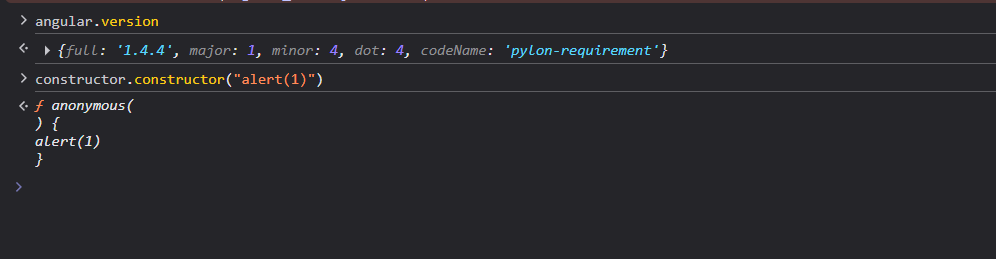
In general, any variable or function used in interpolation {{variable}} will get resolved as $scope.variable. As $scope is a JavaScript object, I can chain constructor to it. So, if {{constructor}} was written, it gets resolved to $scope.constructor. Anything passed to this JavaScript constructor will create an anonymous function with the contents that are passed to the constructor as an argument in JavaScript, as shown in the image below.
I created the function containing the payload that I want to execute, so to invoke it I append braces ‘()’ as shown in the image below.
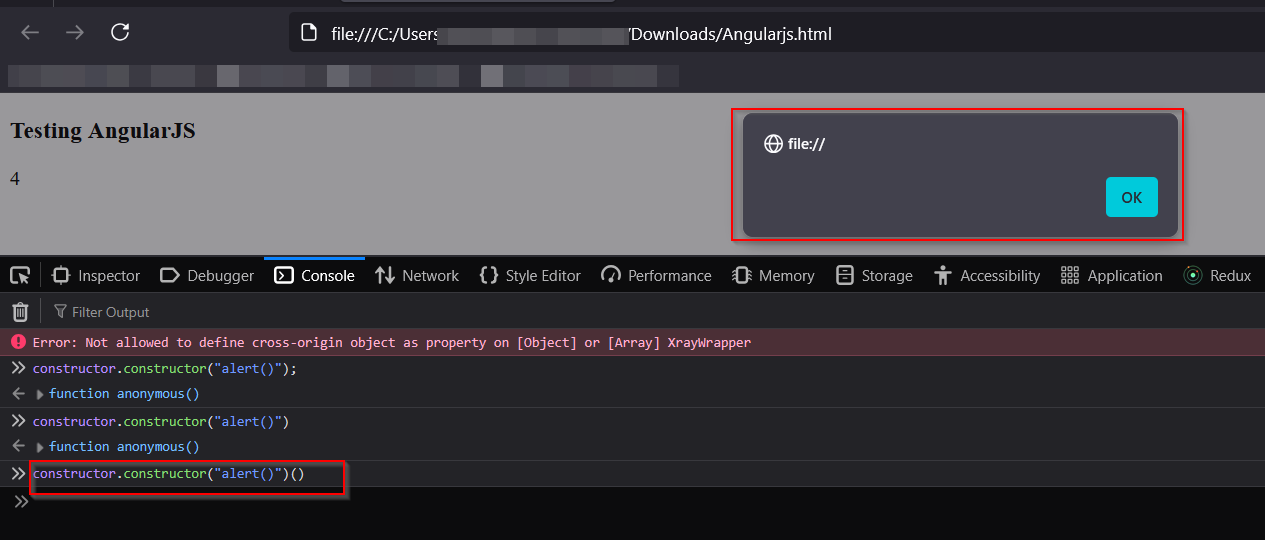
This payload, while simple, effectively bypasses security measures in AngularJS versions >= 1.6.0.
Gareth Heyes explored additional payloads that focus on manipulating native JavaScript functions through Angular expressions. Consider this example.
|
|
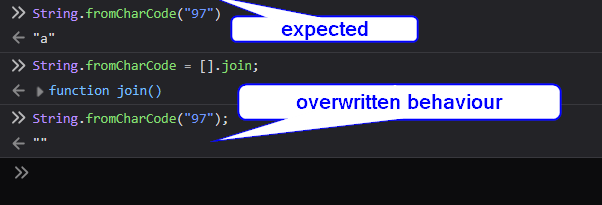
This payload replaces String.fromCharCode with Array.prototype.join, effectively hijacking the function’s behavior. Subsequent calls to String.fromCharCode will execute [].join instead, breaking the expected functionality. The image below demonstrates the contrast between the normal fromCharCode behavior and its overwritten state using [].join, which returns an empty string:
In Angular 2, $scope was completely removed to avoid these kinds of vulnerabilities. So sandbox-escaping techniques that targeted AngularJS no longer work in Angular 2 and later versions.
Hope you got the idea, Happy Hacking!